

What Is Mostplay App Sports Hub?
The Sports tab is the main betting area on mobile. It shows provider tiles, leagues, match lists, and market groups on one screen, while the slip stays available through the session. In Mostplay bet, the player can switch between Pre Match and Live, open different matches, and keep slip selections until they are removed or confirmed. For secure Mostplay app access, use only the official route from the main site and install from the verified source. Mirror links and random APK files often cause login errors, failed updates, or the wrong app version.
How to Open Mostplay After Login on Mobile?
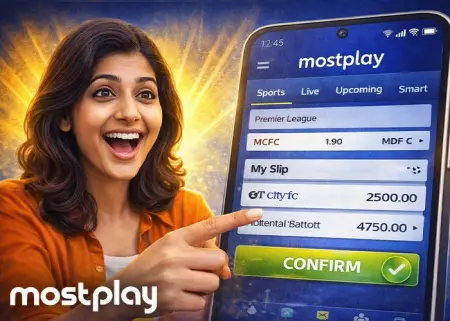
After Mostplay bet login, the player can go straight to Sports, pick a provider tile, and move from the league screen to a match and its markets. If there is no account yet, the player should complete registration first and then return to the same mobile flow. Use the steps below to place a sports bet from a phone:
- Complete login on mobile;
- Open Sports and choose one provider tile;
- Select a league and open a match;
- Tap odds to add a line to the slip;
- Enter stake in BDT and review the ticket;
- Confirm once and track the slip status.
The player should tap Confirm only once after checking the ticket. Repeated taps can send duplicate requests, and odds can change while the stake is being entered, so the final price in the slip may differ from the first price shown in the market.
Difference Between Pre Match and Live Betting?
In the Mostplay portal, the Sports screen is split into two tabs. Pre Match covers events that have not started yet, so the player can compare lines and build a ticket in a slower market. Live opens after the event starts, where odds move more often and some lines may pause for a few seconds after key actions like a goal, wicket, or red card.
Pre Match and Live States
In Mostplay bet Bangladesh, the state label shows if a market is available right now. Open means the line can be added to the slip. Suspended means the market is temporarily paused during a price update. Locked usually means the line is unavailable for a short period and may return after the next refresh.
How Do Mostplay Bet Slip Odds Changes Work?
In Mostplay bet, the slip can refresh the selected odds after a line is added and before the player taps Confirm. This happens most often in Live markets while the stake is being entered in BDT. When the price changes, the slip shows the updated odds and asks the player to accept them before the bet request is sent.
Auto Accept Toggle
The Auto Accept toggle controls how the slip handles eligible price updates before confirmation. If Auto Accept Higher Odds is turned on, the slip continues only when the new price is better for the player. If it is turned off, the player must accept the new odds manually in the slip before the ticket can go through.
How Does Cash Out Work and Why Can It Disappear?
In Mostplay bet, Cash Out shows on an open ticket when early settlement is available for that selection. The value moves with live odds and can be offered as a full or partial payout. It may disappear for a short time during live market refreshes, temporary suspensions, or when the selected market is not eligible for Cash Out at that moment.
Slip Status
The player should check the ticket status after Confirm before leaving the screen. Accepted means the bet was placed. Pending means the request is still processing. Rejected means the bet was not placed. If Recalculated Odds appears, the price changed during processing, and the ticket may need a new confirmation.
Which Markets Are Most Useful in Mostplay?
For Mostplay bet Bangladesh, the best mobile starting point is a small set of standard markets that stay easy to find in both Pre Match and Live. Cricket usually starts with Match Winner, Totals, and Handicaps, while football and tennis follow the same pattern with simple core lines first. The table below links those markets to familiar competitions, so the player can find the right screen faster and build a slip without extra clicks:
| Sport | Best starting markets | Example leagues and tournaments | Mobile use note |
|---|---|---|---|
| Cricket | Match WinnerTotalsHandicaps | Bangladesh Premier League cricketAsia CupICC Cricket World CupIPL | Fast core markets for quick ticket building |
| Cricket Big Matches | Player RunsPlayer WicketsPlayer Performance | Bangladesh Premier League cricketAsia CupICC events | Better after checking lineup and player role |
| Football | Match WinnerBoth Teams To ScoreTotals | Bangladesh Premier League footballUEFA Champions LeagueEnglish Premier LeagueLa Liga | Easy to compare on mobile in short sessions |
| Tennis | Match WinnerSet WinnerGame Handicap | ATP TourWTA TourWimbledonUS OpenAustralian Open | Strong base when prices move point by point |
How Do Promos and Rewards Affect Betting?

Sports promos can change how you plan your sessions. Cards affect rebates, weekly returns, or add Mostplay VIP reward value, so check the rules under Details before betting:
- HEYVIP Grand Cricket Rewards Season - a cricket reward campaign card with a large prize pool and leaderboard style format;
- 0.82% Real-Time Sports Rebate - a sports rebate card for daily reward value on eligible betting activity;
- 30% Weekly Rescue Bonus - a weekly bonus card that can affect session planning and bankroll timing;
- 30% Weekly All Games Cashback - a weekly cashback offer that may change how the player spreads activity across the week;
- Spin and Win - a VIP reward card where points are converted into spin tickets instead of direct sports payout value;
- HEYVIP Brand Of The Month - a promo code style card that may require activation and separate terms.
Not every card in the Sports tab will apply to every match or market. The player should check eligibility, minimums, settlement rules, and opt in steps on the promo page, then build the ticket with the right conditions in mind.
FAQ
Where is Mostplay bet inside the app?+
Mostplay bet is inside the Sports section of the mobile app. After login, the player usually opens Sports from the main navigation, then chooses a provider tile to view leagues, matches, and markets.
How to open sports after bet login?+
After mostplay bet login, the player opens the main menu or bottom navigation and taps Sports. The next screen usually shows provider tiles first, then league and match lists.
Why does a live bet show as suspended?+
Suspended usually means the live market is paused for a short update. This often happens after a goal, wicket, red card, point break, or another event that changes the price. It is not always an error. In many cases, the line returns after the odds are recalculated.
How to place a combo in Mostplay bet?+
A combo bet is built by adding more than one selection to the same slip:
- Open Sports and choose a provider tile;
- Select the first match and tap odds to add the first line;
- Open another match and add the next line to the same slip;
- Check that the slip mode is set to Combo or Accumulator if the interface offers a mode switch;
- Enter the total stake in BDT and review the combined odds;
- Tap Confirm once and wait for the final status.
How does cash out work in Mostplay bet?+
Cash Out appears on eligible open tickets when early settlement is available. The amount moves with live odds and can be shown as full Cash Out or partial Cash Out. It can disappear for a short time during live updates, market suspension, or when the selected market is not eligible at that moment.
Where is the bet slip on mobile?+
The bet slip is usually pinned on the side of the screen or shown as a floating button on mobile, depending on the app layout. After the player taps any odds, the slip opens and shows the selection, stake field, and Confirm button.
What happens if odds change before confirm?+
The slip updates the price and shows an odds change prompt. The player must accept the new price before the request is sent, unless Auto Accept is enabled for that type of change. This happens most often in Live, especially when the player waits before tapping Confirm.
What does auto accept higher odds mean?+
It means the slip can continue automatically if the price moves to a better value for the player before confirmation. If the setting is off, the player must accept the updated price manually.
Why cannot markets mix between providers?+
Mostplay uses provider tiles, and each provider can run its own market feed and pricing logic. Because of that, some selections cannot be combined across providers in one slip. When this happens, the player usually needs to build the ticket inside one provider.
How to place a single bet via Mostplay app?+
A single bet uses one selection in the slip:
- Open Sports and choose a provider tile;
- Open a league and then a match;
- Tap one odds line to add it to the slip;
- Enter the stake in BDT and check the ticket details;
- Tap Confirm once and wait for Accepted or Pending status.