

What Are Mostplay Registration Details?
Mostplay Bangladesh offers three registration methods: phone number, email, and social sign up. Phone registration uses an SMS OTP code. Email registration uses an email code or an activation link. Social sign up works through Google or Facebook for a faster one click start.
| Method | What A Player Uses | First Verification |
|---|---|---|
| Phone Number | BD mobile number | SMS OTP |
| Email address | Email code or link | |
| Social Sign Up | Google or Facebook | Social approval |
The registration form asks for a username and password, along with basic profile details such as name and date of birth. The player can select BDT as the account currency during sign up. A promo code field may also appear on the same screen. Password recovery normally uses the same channel that was used for registration.
How Do New Players Sign Up?
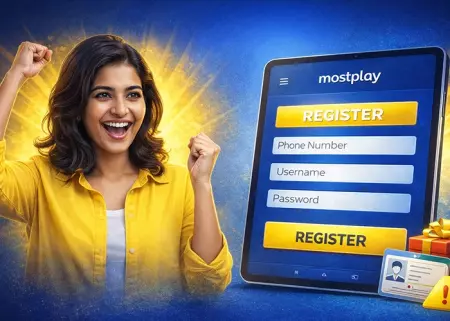
Online casino registration takes a few minutes. The player creates an account, confirms contact details, and gets access to the dashboard where the wallet, bonuses, and transaction history are stored:
- Open the casino website or the Mostplay application and tap Sign Up or Register;
- Choose a registration method - phone, email, or a social option if it is available;
- Enter the phone number or email and create a strong password that is not used elsewhere;
- Confirm the contact by entering the SMS OTP code or the email code, depending on the selected method;
- Fill in basic profile details like name and date of birth if the form requests them;
- Accept the rules and confirm legal age;
- Log in and check the profile area to confirm the details and account currency are correct.
After registration, the player can open the cashier, bonuses, and security settings right away. If identity checks are required before a withdrawal, early verification helps reduce payout delays.
What Is the JILI First Deposit Welcome Bonus?
Below is the same bonus table in a horizontal format for faster comparison:
| Bonus type | Bonus percentage | Deposit range | Max bonus | Wager requirement | Bonus claim | Game types |
|---|---|---|---|---|---|---|
| Deposit bonus | 150% | BDT 100 - BDT 25,000 | BDT 1,000 | 15x | One time | JILI Slots only |
This format helps the player scan the full bonus setup in one row before choosing the offer in the cashier.
How Do Verification and Account Checks Work?
Verification helps the player confirm account ownership before withdrawals and some account changes. The support team checks the profile data, payment details, and identity documents to reduce failed payouts and repeated security checks later:
- Passport or national ID card for identity and date of birth check;
- Proof of address such as a utility bill or bank statement if the platform requests address verification;
- Payment method proof for the method used on the account such as a bank card photo with covered middle digits or an e wallet screenshot with the account name;
- A selfie with the ID or a live face check if the security team asks for an extra ownership check;
- Account details that match the profile such as full name and date of birth in the registration form.
Support review time depends on the document quality and the current queue. In many cases, the first check takes from a few hours up to 24 hours. If the files are blurred, cropped, or the details do not match the profile, the review can take 48 to 72 hours because the player may need to upload the documents again.
How to Fix Mostplay Registration Issues?
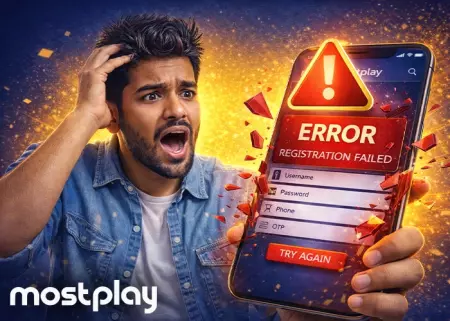
Most registration issues happen at the OTP step, form validation, or session submit. The player can fix them faster by checking one issue at a time and avoiding repeated retries:
- OTP code not received - check your phone or email format, wait 90 seconds, then request a new code;
- Page reloads after submit - return to the same tab and repeat the last step without opening a new form;
- Register button inactive - check required fields, password rules, and the age or rules checkbox;
- Invalid contact error - enter the BD phone number or email in the correct format without extra spaces;
- Password rejected - use a stronger password with letters and numbers and avoid an old password;
- Account already exists - use Mostplay login or password recovery for the same phone or email;
- Social sign up does not open - allow pop up access in the browser and repeat Google or Facebook approval;
- Verification still pending after code entry - use the latest code and submit once without repeated taps.
If the same error appears after one retry, the player should contact support with the exact issue, contact method, and time of the failed attempt. This helps support check the registration status faster.
FAQ
Where to start Mostplay registration in Bangladesh?+
The player should start from the official site on mobile or desktop and tap the Register button inside the page. The safest route is the standard sign up form next to the login area.
How to open registration page safely?+
The player should check the address bar first, then open the registration form only on the official domain with https. The page should show a normal sign up form with standard fields, not unusual requests for extra data before account creation.
How to finish registration online on mobile?+
The player can complete sign up in one session on a phone in a few minutes. The main steps are choosing a method, entering contact details, creating a password, and confirming the OTP or email code. It is better to stay in one tab during the code step. Repeated switching between tabs can cause a reload or break the current session.
Why does the registration form reload after submit?+
This happens because of a session timeout, a tab switch, or repeated taps on the submit button. It can also happen if one required field was missed or the password does not match the form rules.
How to log in to Mostplay after signing up?+
After sign up, the player opens the login form on the same site and uses the same phone number or email used during registration. If the form supports it, login can also work through the same social method used at sign up.
Is registration free?+
Yes. Registration is free. The player only needs to create the account and confirm the contact details. Deposits are separate and depend on the selected payment method and bonus choice.
Where is the register button on mobile?+
On most pages, the Register button is placed near the Login button in the header or on the first screen. If both buttons are close together, the player should choose Register first, then use Login only after account creation.
What details are required to sign up for Mostplay?+
The form asks for basic account and profile details. Most pages request:
- Phone number or email, depending on the selected method;
- Username;
- Password;
- Name;
- Date of birth;
- Account currency, BDT;
- Promo code, if a promo field is shown.
These details are used to create the account correctly at the first attempt and reduce OTP, login, and verification issues later.
Why does the OTP code not arrive?+
The most common reasons are a wrong phone or email format, message delay, spam filtering, or too many code requests in a short time. The player should wait 60 to 90 seconds, check the contact format, and request one new code in the same session.
How to complete registration in one session?+
The player should open one registration page, use one device, and avoid opening extra tabs during OTP confirmation. After the code is accepted, the player should check the Profile section once to confirm account details and BDT currency before the first login or deposit.